Instagram Photo Downloader

Post link

Takes single photos and carousels from public posts.

FreeOriginal resolutionNo app to install

Instagram Photo Downloader

Baixargram pulls the original, full-resolution file behind any public Instagram photo — not a screenshot, not a compressed preview. Paste the link, tap download, and the picture is on your device. No app, no account, no watermark.

How to download Instagram photos

Downloading a photo from Instagram takes less than thirty seconds and needs no account, no installation and no sign-up. It works for a single photo, for a post with several images and for an old feed picture — the process is always the same: copy the post's address, paste it into the field above, and pick the photo.

Open the post and copy its link

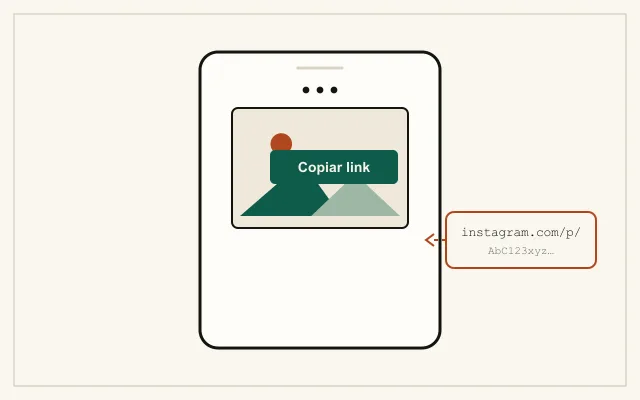
Open the post on Instagram and tap the three dots above it. On iPhone, the menu appears over the photo; on Android, in the top-right corner. Choose Copy link. On a computer, click the three dots next to the post and select Copy link. The address starts with instagram.com/p/.

Ilustração de um celular com o menu de três pontinhos aberto sobre uma publicação, destacando a opção Copiar link e o endereço copiado começando com instagram.com/p/

Put the link into the field above

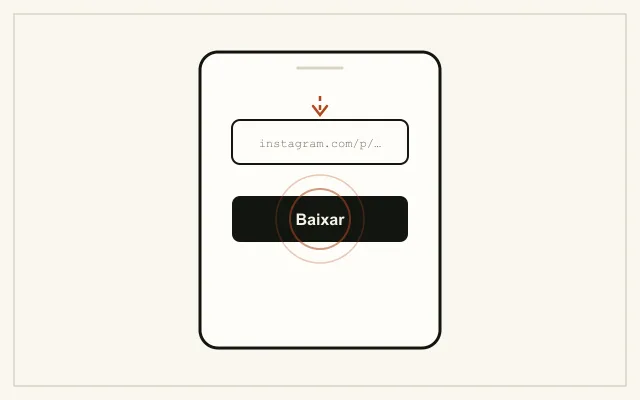
Come back to this page and paste the address into the field. On mobile, press the field and tap Paste; on desktop, use Ctrl+V or Cmd+V. Then tap Download.

Ilustração de um celular com o endereço da publicação colado no campo de link e o dedo tocando o botão Baixar

Pick the photo and save

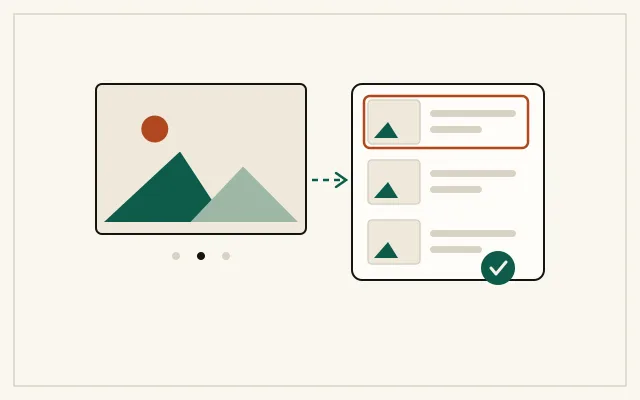
The page shows every photo found in the post, each with a thumbnail, its aspect ratio and the file size. Tap the one you want and the download starts on the spot. On iPhone, the file goes to the Files app under Downloads; on Android, to the Download folder of internal storage.

Ilustração de um carrossel com três fotos ao lado de uma lista de miniaturas, com a primeira foto selecionada e um símbolo de confirmação de download

Download photos at the original resolution

Instagram keeps more than one version of every published photo, and the largest is not always the one on screen. The image you see in the mobile feed is usually a downscaled copy, generated to load fast — take a screenshot and that smaller version is exactly what you save.

Baixargram fetches the largest version available on Instagram's servers and hands over the file as it lives there, with no re-compression on our side. In practice that means twice the definition of a screenshot or better.

One limit belongs to Instagram, not to us: the platform resizes what is uploaded. A photo published from a large file usually ends up at most 1080 pixels on the long side. There is no way to recover the 4000-pixel original once it has gone through the upload — what exists is the best version Instagram keeps live, and that is the one we deliver.
Download every photo in a carousel

A carousel can hold up to ten photos in the same post, and all of them share one address. If you have the carousel link, downloading one photo at a time makes no sense.

Our tool reads the whole post and lists every photo separately, with a thumbnail and the file size. You choose one or grab them all in a single pass, without repeating the process.

What are Instagram photos?

The photo is the oldest format on the platform: an image published in the feed that stays on the profile permanently — unlike Stories, which disappear after 24 hours. A post can hold a single photo or a carousel of up to ten images, swiped horizontally.

Feed photos are public by default and can be reached by their direct address, even by people who do not follow the profile. That is why we can download from the link alone, with no login. Instagram describes the post formats at about.instagram.com.

One useful note: if what you want is the video in a post, use the video downloader for Instagram posts — this page handles images only.

How to copy a post link

Unlike a Story, a post has a fixed, stable address that does not expire. The way in is the post’s own menu.

  1. Open the post until the photo fills the screen.
  2. Tap the three dots above the image.
  3. Tap Copy link.

In a carousel, any of the photos leads to the same address — there is no need to hunt for a link specific to the image you want. The photo list appears after you paste the link here.

If the Copy link option does not appear, the profile is almost certainly private — and then there is no public address to copy.

Key features

  • Best available resolution. We deliver the largest version Instagram keeps live, with no re-compression on our side.
  • A whole carousel in one list. A link with ten photos shows all ten, with thumbnails and sizes, instead of demanding ten rounds.
  • Free, no sign-up. No email, phone number or Instagram account required. Just paste the link of the post you want to keep.
  • No watermark. The file comes straight from Instagram's servers, at the original proportion and framing — nothing is layered onto the image.
  • Works on iPhone, Android and desktop. No app to install, no extension to enable — the browser already on the device does the job.
  • No download limit. Save as many photos as you need, at your own pace.

Do I need any software on my computer to download photos?

No. Baixargram runs in the browser on your phone or computer. Nothing gets installed on the device and no account is needed.

Which devices can download photos from?

On iPhone the file lands in the Files app under Downloads; on Android, in the Download folder of internal storage.

Is the photo downloaded at its original resolution?

It is downloaded at the largest version Instagram keeps on its servers, with no re-compression on our side. Worth knowing: Instagram itself resizes what gets published — usually to at most 1080 pixels on the long side. The original camera file, before the upload, is not available to anyone.

Can I download every photo in a carousel?

Yes, all at once. When you paste a carousel link, the page lists every photo in the post with a thumbnail and the file size. Pick one or save them all — no repeating the process photo by photo.

Can I download a photo from a private account?

No. A private account has no public address — its content is visible only to approved followers, and there is no link to paste here. If a site promises to download from private accounts, it is most likely about to ask for your login: do not do it.

Does downloading photos at the original resolution cost anything?

Yes, with no download limit. There is no paid plan, no trial period, no required sign-up and no hidden charge. The page is supported by advertising that stays outside the path between pasting a link and saving the file.

Terms and Conditions

Baixargram is an independent tool and has no affiliation with, sponsorship from or approval by Meta Platforms, Inc. or Instagram. The Instagram and Meta trademarks belong to their respective owners and are mentioned here only to describe the service.

Use the tool to save your own content or content you have the creator's permission to keep. You are solely responsible for what you do with the downloaded files, including respect for image copyright. We do not store, host or redistribute files: the image is delivered from Instagram's servers to your browser.

We may change or discontinue the tool at any time, without prior notice. The service is provided as is.